
On this page
Apple Business Manager has been gone since April 14, 2026. Apple merged it with Apple Business Essentials and Apple Business Connect into a single platform. It is called Apple Business, it is free, and for the first time it brings Apple's own device management to companies in Germany and the rest of Europe.
For companies running Macs, that sounds like MDM at no cost. Most coverage so far repeats Apple's announcement. This guide looks at it from the user's side. What is actually available in Europe, what do you need to do with an existing account, and when is Apple Business enough on its own?
Key takeaways
- Since April 14, 2026, Apple Business replaces Apple Business Manager, Apple Business Essentials and Apple Business Connect. The platform is free and includes built-in device management (MDM).
- In Germany, Austria, Switzerland and most of Europe, you get device management, Managed Apple Accounts and zero-touch deployment. Mail, calendar, extra iCloud storage and AppleCare+ for Business are US-only so far, according to Apple.
- The built-in MDM only manages Apple devices. Windows and Linux computers, accessories, SaaS licenses and access to other tools are out of scope.
- You can still connect external MDM solutions such as Microsoft Intune or Jamf.
- For an all-Apple team with modest requirements, Apple Business can be enough. With a mixed fleet, you need a second system for everything else.
What is Apple Business?
Apple Business is Apple's admin portal for companies. It brings together three things that used to be separate. Device and app management from Apple Business Manager. Device management from Apple Business Essentials, which was US-only. And your company's presence in Apple Maps from Apple Business Connect.
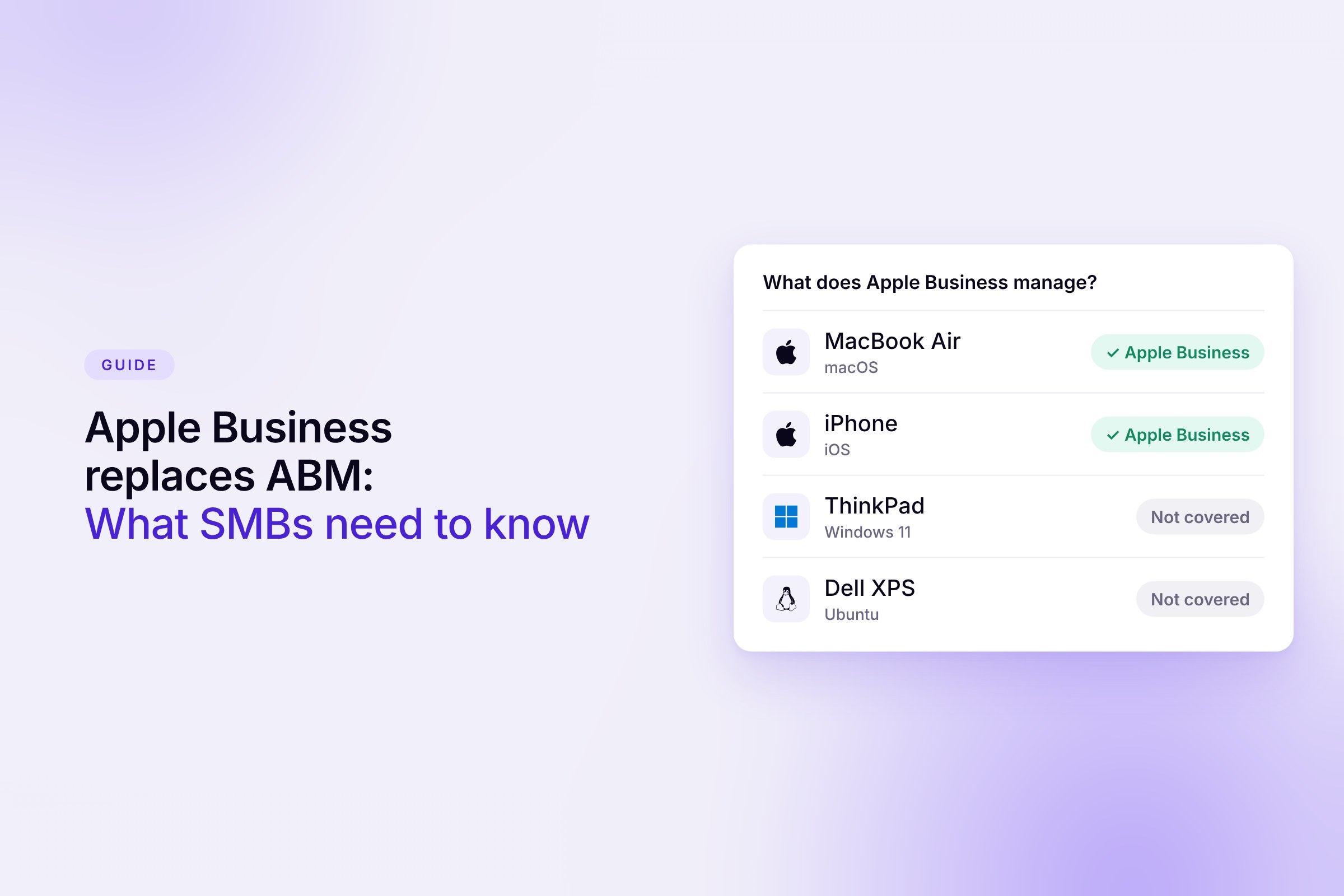
The platform itself costs nothing. Only two add-ons are paid, extra iCloud storage and AppleCare+ for Business. It manages Mac, iPhone and iPad, as well as Apple TV and Apple Vision Pro.
New devices show up in your account automatically when you order them from Apple or an authorized reseller under your company. On first boot, they set themselves up without IT having to touch them. Devices from other sources can be added later with Apple Configurator.
What happens to existing Apple Business Manager accounts?
Apple has not published a dedicated migration guide for Apple Business Manager. According to Apple, the old service is no longer available and Apple Business takes over its functions. Reports from admins show that device assignments, connections to external MDM servers and purchased app licenses carried over.
There is one thing you have to do yourself. An Organization Administrator needs to accept the new terms and conditions. Until that happens, Apple says most of the functionality stays unavailable. If nobody has opened the account in months, it is worth a quick look.
- Accept the terms and conditions in Apple Business.
- Check in your connected MDM that the server token and app token are still valid.
- Review admin roles and remove people who have left.
- Decide deliberately whether to turn on built-in device management. It is not switched on by default.
Which Apple Business features are available in Europe?
Apple markets Apple Business as a complete package with business email, calendar and device protection. In Europe, the scope is much smaller. Germany, Austria and Switzerland sit in the same group in Apple's feature availability overview, together with most EU countries, Norway and the UK.
This reflects the status as of November 20, 2026. For companies in Germany, Austria and Switzerland, Apple Business is therefore mainly an MDM with account management. It does not replace Google Workspace or Microsoft 365 here, and you still need to sort out repair coverage for your devices separately.
What can the Apple Business built-in MDM do?
For the basics, the device management is solid. At its core are Blueprints. You define settings and apps in a Blueprint, and every assigned device picks them up automatically.
- Settings. Disk encryption with FileVault, software updates, passcode and screen lock, Wi-Fi, VPN and web filtering.
- Apps. Buy, assign and reclaim App Store apps. Mac software from outside the App Store goes out as an installer package from your own download URL. According to Apple, these programs do not count as managed apps and stay installed when you remove them from the Blueprint.
- Loss and theft. iPhones and iPads can be located and locked, Macs locked with a PIN. Any supervised device can be erased remotely.
- Accounts. Managed Apple Accounts are created automatically from Google Workspace or Microsoft Entra ID. Work data and personal data are kept separate on the device.
Where does Apple Business fall short?
The limits are less about individual features and more about scope. Apple Business takes care of Apple devices and nothing else.
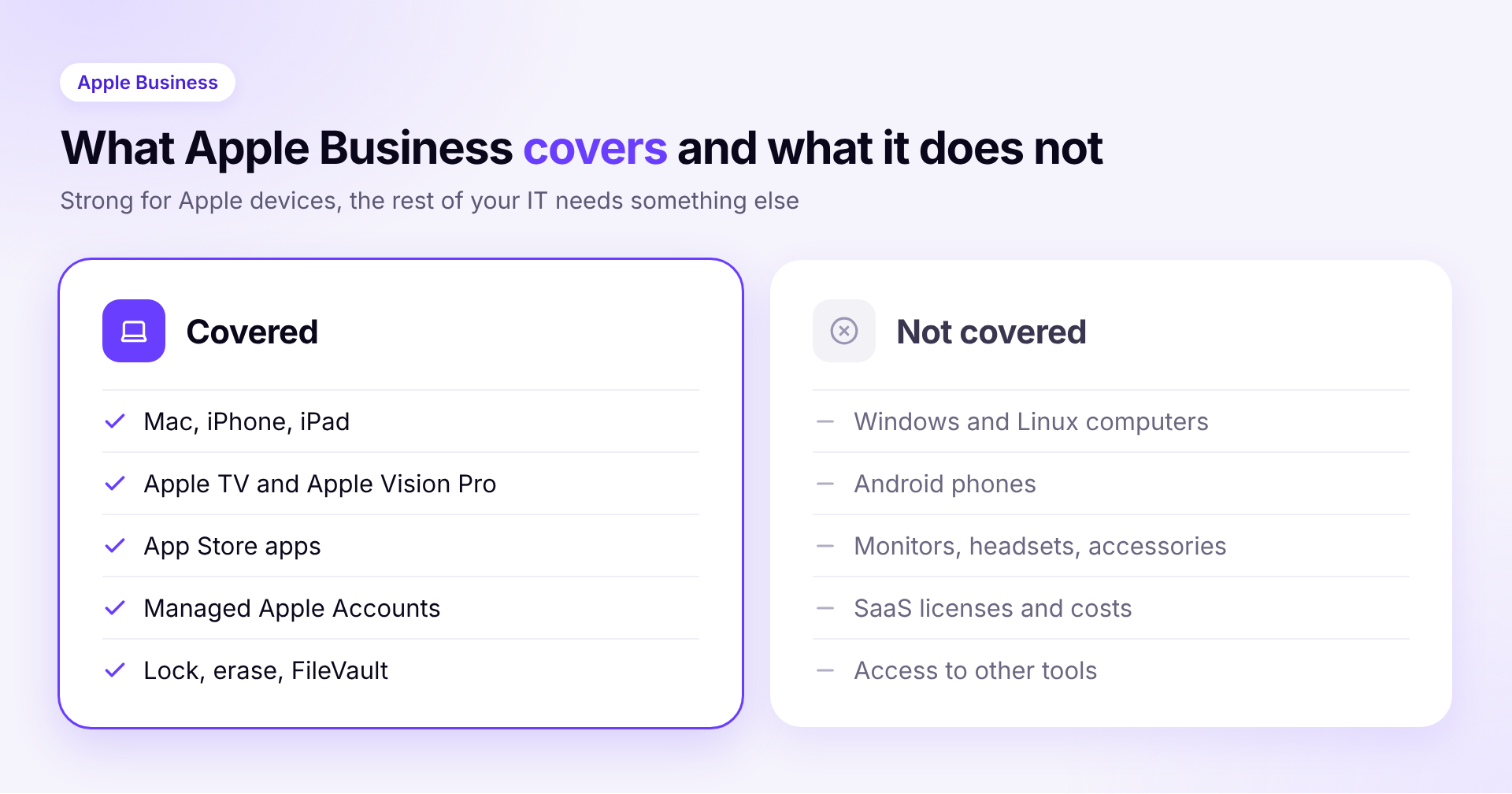
Apple only. Windows laptops and Linux machines do not show up in Apple Business. Neither do Android phones.
No complete inventory. You only see devices registered in your account. Monitors, headsets, docking stations and other hardware are left out. That is not enough when an auditor asks or when someone returns their equipment.
No SaaS licenses. Apple Business knows App Store licenses. It does not know what Slack, Figma or your CRM cost, who uses them, or which tools teams signed up for on their own. That shadow IT stays invisible.
No end-to-end onboarding and offboarding. An account for Apple services is created automatically. Access to every other tool, device returns and freed-up licenses have to be handled somewhere else.
Less depth than specialists. Trade press such as heise still sees tools like Jamf Pro ahead for more complex requirements. MDM vendors point to gaps such as continuous compliance monitoring and remote support with screen sharing.
When is Apple Business enough, and when is it not?
The honest answer depends less on company size and more on the mix of devices and tools you run.
Apple Business on its own is usually enough if
- you only use Mac, iPhone and iPad,
- you buy devices from Apple or an authorized reseller,
- you do not have to provide detailed security evidence,
- and your software stack is small and easy to keep track of.
You need an additional system if
- the same team also runs Windows or Linux computers,
- you want an inventory that includes accessories and smartphones,
- you need to track licenses, costs and notice periods for your SaaS tools,
- or new hires and leavers have to be handled cleanly across several systems.
The two are not mutually exclusive. Apple Business stays the foundation either way, because new devices and app licenses always run through Apple. The day-to-day management is handled by another system that you register in Apple Business as a service. You can connect several services there and assign each device to one of them. Our MDM software comparison shows which solutions fit. For how to organize devices day to day, read managing company laptops. And if you work without in-house IT altogether, IT without an IT department gives you a roadmap.
How Sovaro helps
Sovaro manages Mac, Windows and Linux in one place, with its own MDM to lock and wipe devices and install apps. Macs connect through Apple's device management, and the Apple Business integration is coming soon. Alongside that, you see accessories and smartphones in your inventory, every SaaS license with its cost, and the tasks for every new hire and leaver. Try it for free
Frequently asked questions
See Sovaro with your own data.
Connect Google Workspace or Microsoft Entra and see your devices, apps, and licenses in minutes.
14-day free trial, no payment details required. Cancel monthly.