
On this page
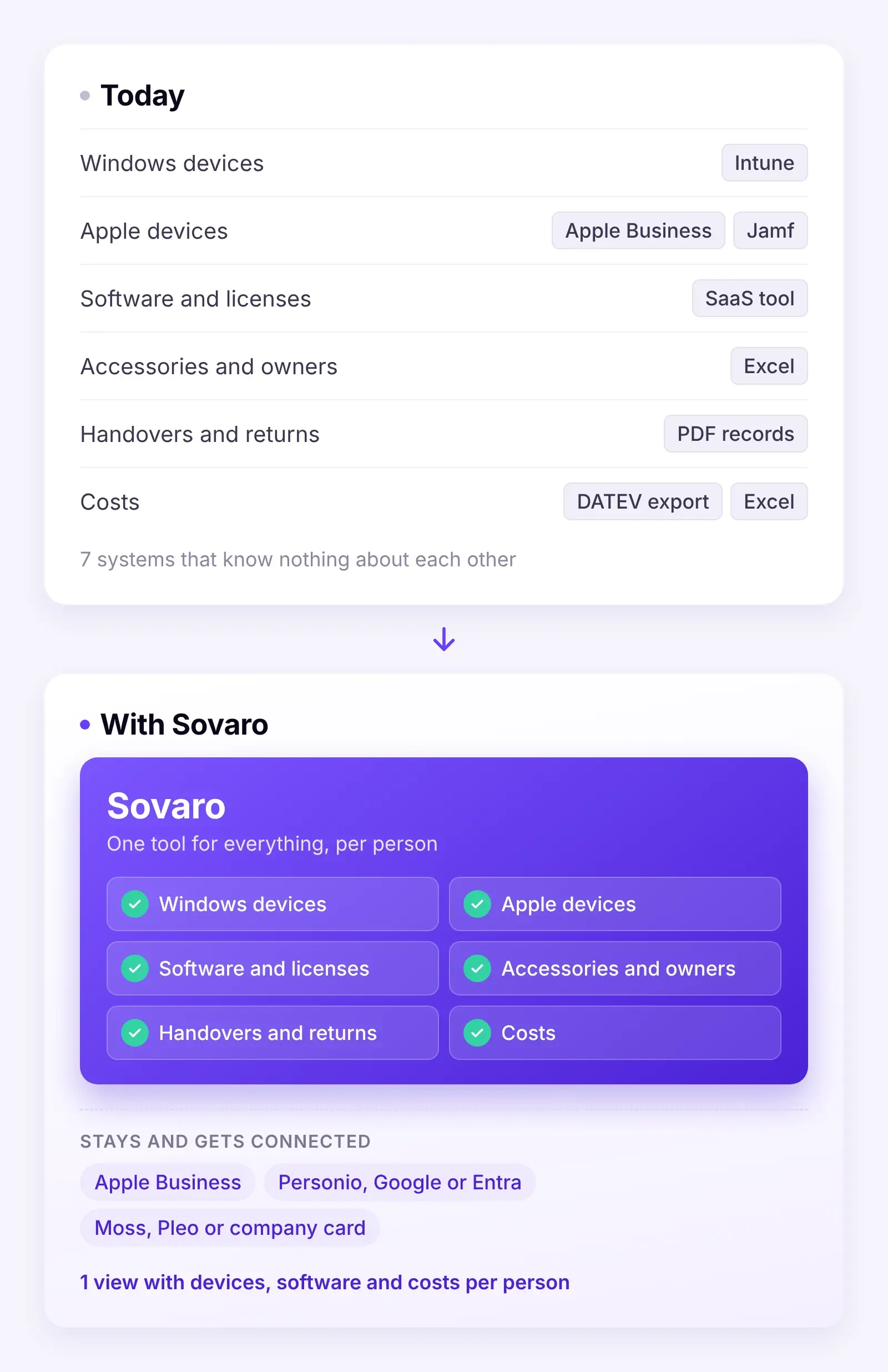
Before someone new starts, many SMBs go through six or seven systems. Intune or Jamf for the laptop, Apple Business for setup, a SaaS tool for licenses, a spreadsheet for monitor and headset, a folder of handover records and finally Moss, to see whether the new Figma license has been paid for.
Each of these systems shows one slice. None of them tells you whether everything is ready for day one.
That's what IT management looks like in many startups, agencies and SMBs. Not because someone planned badly, but because every tool solved a problem at the time. Together, though, they don't add up to a picture. Here we show what the typical stack looks like, where it breaks down and what changes with one tool. And, to be honest, what stays.
Key takeaways
- In many SMBs, IT is spread across six or seven systems: Intune, Apple Business, Jamf, a SaaS tool, Excel, PDF records and the DATEV export.
- Each tool does its job, but none answers questions across them, such as which licenses are paid for but not used.
- Sovaro brings devices, software, on- and offboarding and costs together in one view per person.
- Apple Business, your HR system and Moss, Pleo or your company card stay.
The typical IT stack in an SMB
Hardly anyone chose this stack. It simply grows with the company:
- Intune for Windows. It comes with Microsoft 365 Business Premium, so it's just there. It manages Windows laptops, but only sees what's enrolled.
- Apple Business and Jamf for Apple. Apple Business for zero-touch setup, Jamf or another MDM for the actual management. A second console, a second contract. Our MDM comparison shows the options.
- A SaaS management tool for software. It shows licenses and subscriptions, but not which laptop belongs to whom or what has to come back when someone leaves.
- Excel for everything in between. Monitors, headsets, docking stations, who has what, serial numbers. Plus handover and return records as PDFs in a folder. Our IT inventory software comparison covers tools that can replace that list.
- DATEV export and Excel for costs. Once a quarter, someone pulls the bookings and tries to match them to tools and people.
- Or Moss and Pleo for payments. That's already much better: every payment is captured cleanly, with receipt and cost center.
Each of these tools does its job. The problem lies between them.
Where it breaks down
The data lives on islands. Intune knows whether a laptop is encrypted, but not who has the matching monitor. The SaaS tool knows the licenses, but not the device. The spreadsheet knows both, but hasn't been updated in three months. For security, that means a laptop that shows up in no system is a laptop nobody checks.
Every departure runs through five systems. Lock the laptop in Intune or Jamf, check licenses in the SaaS tool, tick off accessories in Excel, fill in the return record, freeze the company card in Moss. If someone forgets a step, nobody notices. Our offboarding checklist walks through it in detail. Why forgotten accounts in particular are a risk is covered in our article on deprovisioning.
Captured payments aren't controlled spend. Moss and Pleo show exactly that you pay for 14 Figma licenses every month. They don't show that only 9 are used and two belong to people who left long ago. To answer that, you need payment and usage in one place. That's exactly where the payment platform stops.
Nobody has the full picture, only slices. IT sees devices, finance sees costs, HR sees joiners and leavers. Nobody can answer the question "What does an employee cost us in IT, and do we need all of it?"
What it looks like with Sovaro
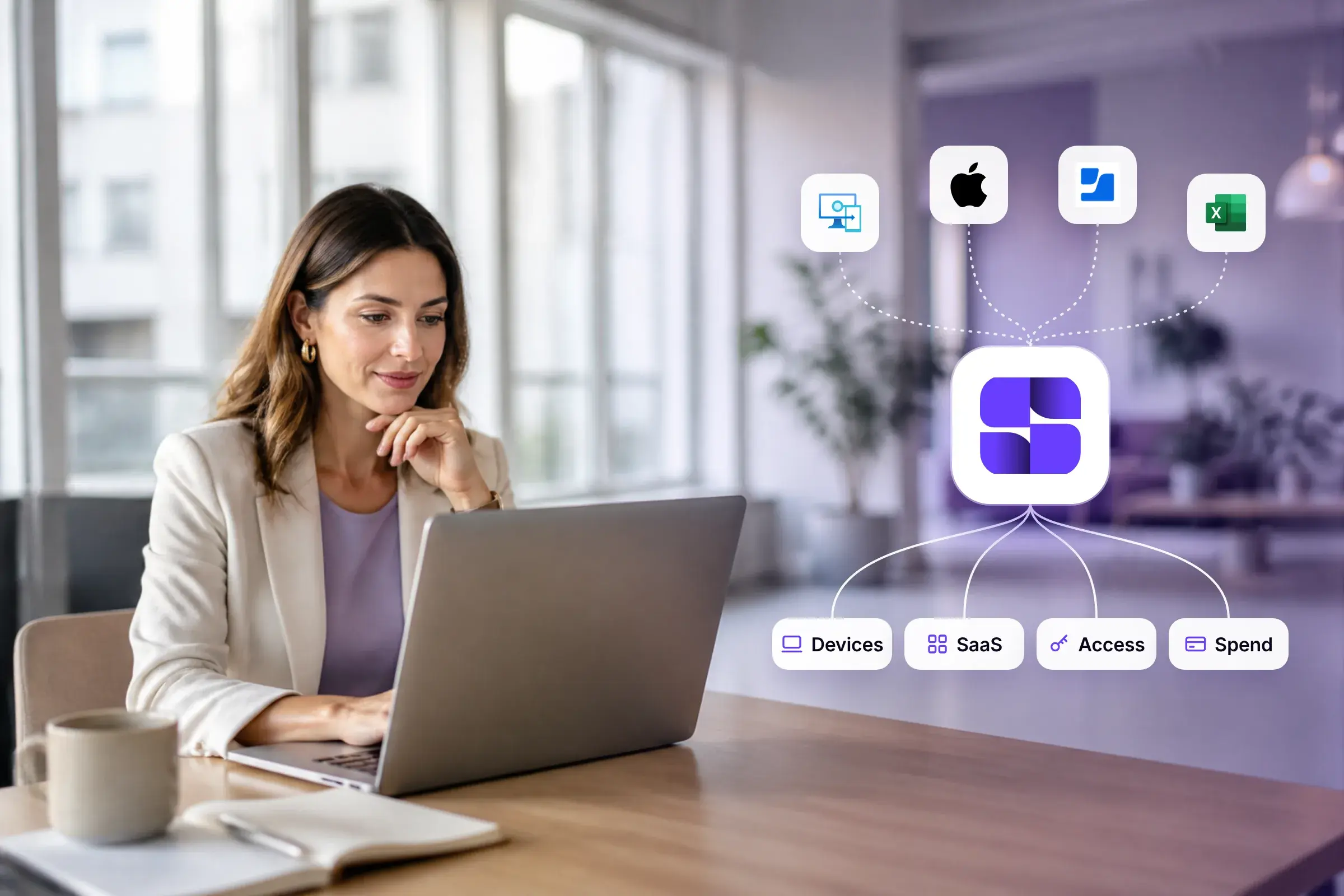
Sovaro brings together what belongs together: devices, software, on- and offboarding and the costs behind them.
- Devices. Sovaro comes with its own MDM for Mac, Windows and Linux. You see for every device whether it's encrypted and up to date, and can lock, unlock or wipe it in an emergency. If you already use Intune, connect it and Sovaro takes over the devices.
- Accessories and assignment. Laptops and desktops report in through the Sovaro agent. You capture monitors, headsets and docks via invoice, a photo of the serial number or by hand. Every device is assigned to a person.
- Software and licenses. Using the agent and a browser extension, Sovaro detects which cloud tools are actually used, including ones someone signed up for on their own. You see the last use per person.
- On- and offboarding. As soon as someone is added to or removed from Personio, Google Workspace or Microsoft Entra, the workflow starts. Tasks go to IT, HR, the team lead and the responsible tool owners, and every step is documented. The return list includes all of the person's devices and tools, without anyone searching five systems.
- Costs. Sovaro pulls invoices automatically from Gmail or Outlook, or you forward them to Sovaro. The AI reads them and matches them against usage. That way you see which licenses you pay for but don't use. For accounting, you can export all receipts for a month, for example for DATEV Unternehmen online.
In day-to-day work, the difference looks like this:
| Task | Today | With Sovaro |
|---|---|---|
| Prepare a new laptop | Order by email, set up in Intune or Jamf, add a row to the spreadsheet | The device joins the MDM via the setup link and is assigned to the person |
| Who has which monitor? | The spreadsheet, if it's up to date | Accessories are linked to the person, with serial number |
| Find unused licenses | Match the DATEV export against the SaaS tool, once a quarter | Usage and invoice sit side by side, unused licenses are flagged |
| Someone leaves the company | Go through five systems, fill in a PDF record | One return list with all devices and tools, tasks for the people responsible |
| IT cost per person | Impossible to answer | Devices, licenses and costs at a glance |
Instead of going through seven systems, you see in one view whether everything is ready. Laptop set up, accounts created, one license still waiting for approval.
What honestly stays
One tool for everything sounds good, but it isn't quite true. Here's what you should know up front:
- Apple Business stays. It's free and the foundation for new Apple devices setting themselves up automatically. Sovaro doesn't replace it, and an integration is coming soon.
- Moss, Pleo or your company card stay for payments. Sovaro isn't a payment platform. It adds the question of whether what you pay for is actually used.
- Sovaro doesn't manage smartphones and tablets via MDM yet. You can already track them in the inventory, along with accessories and who they're assigned to. Remote lock or wipe for company phones still runs through your mobile carrier or a separate MDM for now.
- Macs from another MDM need to be re-enrolled. If you manage Macs with another MDM today, you re-enroll them with the Sovaro agent.
- Your HR system stays. Contracts, payroll and time tracking belong in Personio and similar tools. Sovaro only uses joiners and leavers.
Who the switch is worth it for
It's worth it if you have around 30 to 150 employees and work cloud-first, mainly with laptops, Google Workspace or Microsoft 365 and lots of SaaS tools. Sovaro can be used up to 250 employees. Whether an IT admin owns IT or it runs on the side: admins get MDM, inventory, licenses and offboarding in one tool instead of four, and people without an IT background can still work with it.
It's probably not worth it if you manage a lot of on-site infrastructure, such as servers, networks and printers, or if your fleet consists mainly of smartphones and tablets.
The switch in three steps
- Connect. Connect Google Workspace or Microsoft Entra, optionally Personio. That brings in all your people.
- Take over devices. Connect Intune or roll out the agent via the setup link. Add accessories from your old spreadsheet via invoice, photo or by hand.
- See your software. After a few days, Sovaro shows which tools are used and which aren't. Sovaro pulls invoices automatically from Gmail or Outlook once you connect the mailbox, or you forward them to your Sovaro address.
You can keep the old tools running in parallel and cancel them once everything is in.
Try Sovaro for free: 14 days without payment details, then €6.90 per person per month for devices and software; on- and offboarding and spend can be added.
Frequently asked questions
See Sovaro with your own data.
Connect Google Workspace or Microsoft Entra and see your devices, apps, and licenses in minutes.
14-day free trial, no payment details required. Cancel monthly.